 pyr0ball
01aae2eec8
pyr0ball
01aae2eec8
Recipe corpus (#108):
- Add _MAIN_INGREDIENT_SIGNALS to tag_inferrer.py (Chicken/Beef/Pork/Fish/Pasta/
  Vegetables/Eggs/Legumes/Grains/Cheese) — infers main:* tags from ingredient names
- Update browser_domains.py main_ingredient categories to use main:* tag queries
  instead of raw food terms; recipe_browser_fts now has full 3.19M row coverage
  (was ~1.2K before backfill)

Bug fixes:
- Fix community posts response shape (#96): add total/page/page_size fields
- Fix export endpoint arg types (#92)
- Fix household invite store leak (#93)
- Fix receipts endpoint issues
- Fix saved_recipes endpoint
- Add session endpoint (app/api/endpoints/session.py)

Shopping list:
- Add migration 033_shopping_list.sql
- Add shopping schemas (app/models/schemas/shopping.py)
- Add ShoppingView.vue, ShoppingItemRow.vue, shopping.ts store

Frontend:
- InventoryList, RecipesView, RecipeDetailPanel polish
- App.vue routing updates for shopping view

Docs:
- Add user-facing docs under docs/ (getting-started, user-guide, reference)
- Add screenshots
2 KiB
Recipe Browser
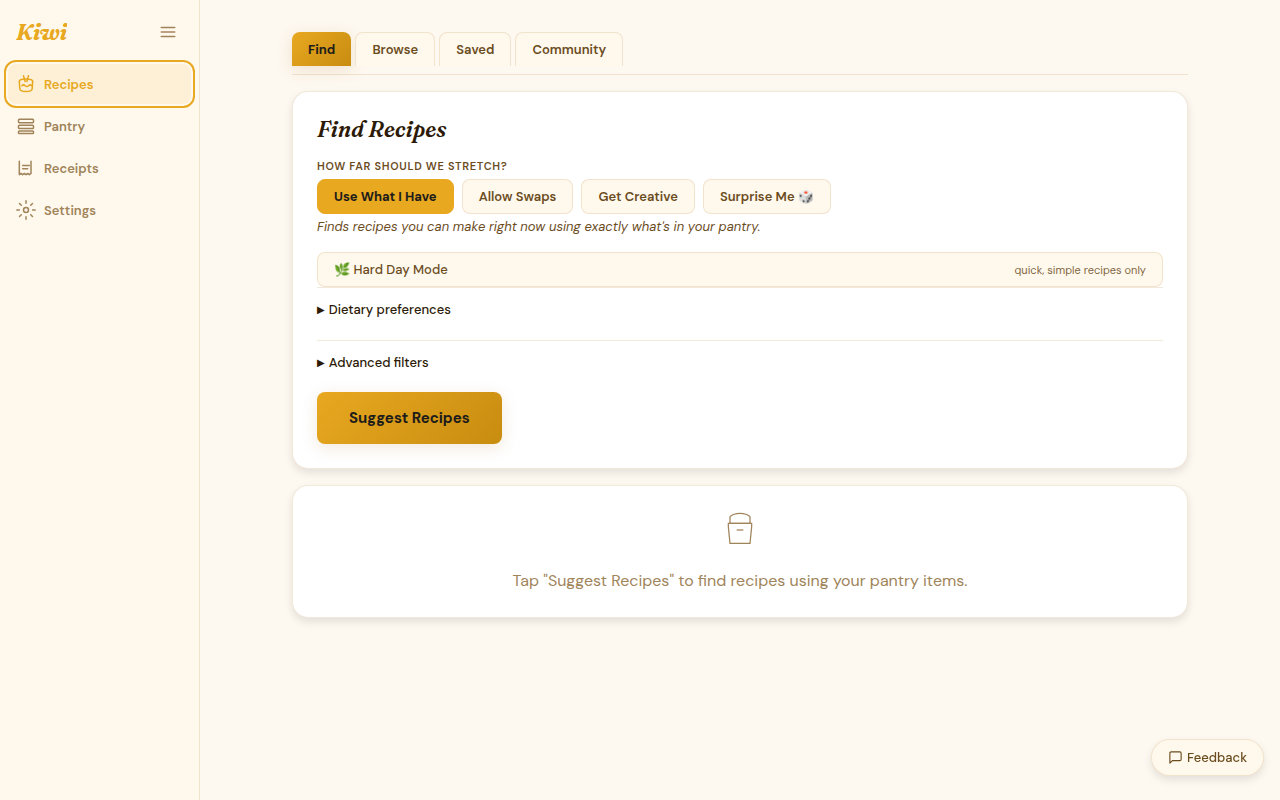
The recipe browser lets you explore the full recipe corpus filtered by cuisine, meal type, dietary preference, and main ingredient. Your pantry match percentage is shown on every recipe card so you can see at a glance what you can cook tonight.
Browsing by domain
The recipe corpus is organized into three domains:
| Domain | Examples |
|---|---|
| Cuisine | Italian, Mexican, Japanese, Indian, Mediterranean, West African, ... |
| Meal type | Breakfast, Lunch, Dinner, Snack, Dessert, Drink |
| Dietary | Vegetarian, Vegan, Gluten-free, Dairy-free, Low-carb, Nut-free |
Click a domain tile to see its categories. Click a category to browse the recipes inside it.
Pantry match percentage
Every recipe card shows what percentage of the ingredient list you already have in your pantry. This updates as your inventory changes.
- 100%: you have everything — cook it now
- 70–99%: almost there, minor shopping needed
- < 50%: you'd need to buy most of the ingredients
Filtering
Use the filter bar to narrow results:
- Dietary — show only recipes matching your dietary preferences
- Min pantry match — hide recipes below a match threshold
- Time — prep + cook time total
- Sort — by pantry match (default), alphabetical, or rating (for saved recipes)
Recipe detail
Click any recipe card to open the full recipe:
- Ingredient list with in pantry / not in pantry indicators
- Step-by-step instructions
- Substitution suggestions for missing ingredients
- Nutritional summary
- Bookmark button to save with notes and rating
Getting suggestions
The recipe browser shows the full corpus sorted by pantry match. For AI-powered suggestions tailored to what's expiring, use Leftover Mode or the Suggest button (Paid / BYOK).
See Recipe Engine for how the four suggestion levels work.