 pyr0ball
e52bdb5128
pyr0ball
e52bdb5128
Retrieval:
- Add _fetch_adjacent() to retriever: fetches page ± 1 chunks from DB
  after ranking so mid-sentence EPUB chunk boundaries don't lose context
- Fix vec DB doc-filter: oversample to top_k*20 before Python filter
  instead of post-filtering an already-small global pool (fixes wrong-book
  results when searching within a single document)
- top_k default 5 → 10; context per chunk 500 → 1500 chars; citation
  snippet 200 → 400 chars

Artifact cleaning:
- Add scripts/text_clean.py: strips ABC Amber LIT Converter watermarks,
  processtext.com URLs, bare page numbers, piracy stamps from extracted text
- Wire clean_paragraph() into ingest_pdf.py and new ingest_epub.py

Startup validation:
- _check_vec_schema() at boot: detects embedding dimension mismatch,
  deletes stale vec DB, and queues sequential re-embed in background thread
- Sequential _reembed_docs() prevents SQLite lock races on startup re-embed

cf-orch integration:
- Wire CF_ORCH_URL / CF_LICENSE_KEY into LLMRouter backend config so
  allocate() fires and keeps the Ollama model warm between requests

Ingestion progress UI:
- GET /api/library/{doc_id}/status now returns vec_count from page_vecs_meta
- DocumentCard.vue polls status every 3 s while processing and shows
  two-phase progress: indeterminate animation during extraction,
  determinate "Embedding N/M pages" bar once vectors start landing

Other:
- Chat feedback endpoint + thumbs up/down UI (FeedbackButton.vue)
- EPUB ingest script (ingest_epub.py) with heading-based chunking
- migration 002: chat_feedback table
- README.md with setup and feature overview
3.7 KiB
Pagepiper
Self-hosted document search with BM25 full-text indexing and (with local Ollama) hybrid vector search and LLM-powered chat. Supports PDF and EPUB files.
Demo
Try it: pagepiper.circuitforge.tech
Screenshots
Library
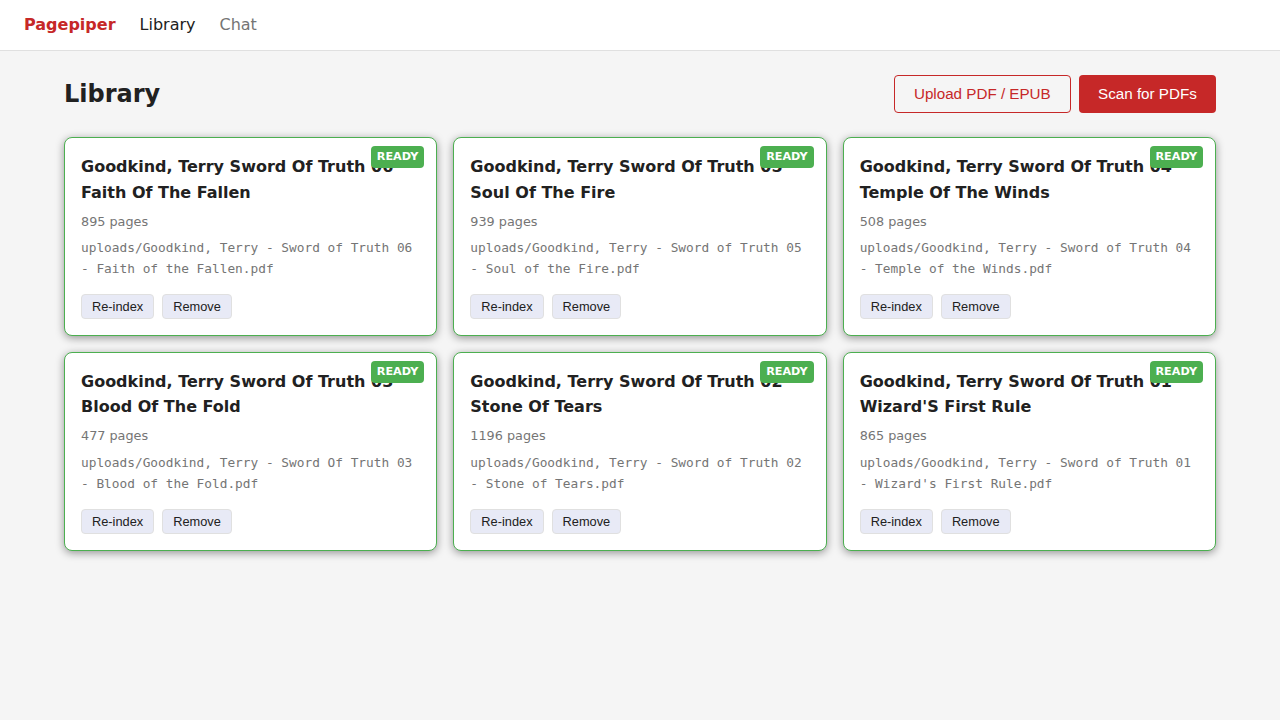
Scan your PDF directory to index documents, or upload individual PDFs directly. Each document shows page count and ingest status.
Chat
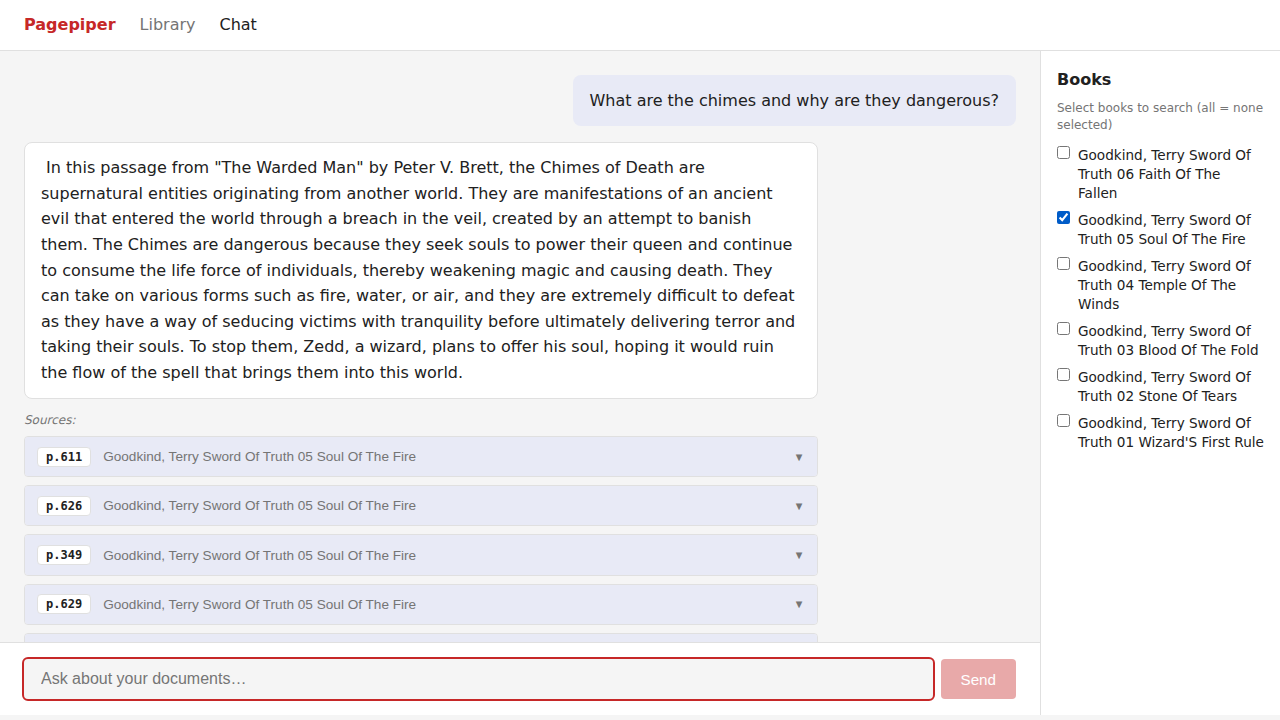
Ask questions across your indexed documents. Results cite the source document and page number.
Tiers
| Feature | Free | Paid (BYOK) |
|---|---|---|
| BM25 full-text search | Yes | Yes |
| PDF and EPUB upload via browser | Yes | Yes |
| Unlimited local ingestion | Yes | Yes |
| Hybrid vector search | No | Yes (local Ollama) |
| LLM chat over documents | No | Yes (local Ollama) |
BYOK (Bring Your Own Key) means you supply your own Ollama instance. No cloud API keys required.
Self-Hosting Guide
Prerequisites
- Docker and Docker Compose
- PDFs you want to search
- Optional: Ollama running locally for semantic search and LLM chat
Step 1: Get the code
git clone https://git.opensourcesolarpunk.com/Circuit-Forge/pagepiper
cd pagepiper
Step 2: Configure
cp .env.example .env
Open .env and set your directories:
# Where pagepiper stores its index database
PAGEPIPER_DATA_DIR=./data

# Directory to scan for PDFs (used by the "Scan for PDFs" button)
# You can also upload individual PDFs via the web UI without setting this
PAGEPIPER_BOOKS_DIR=/path/to/your/pdfs
To unlock hybrid vector search and LLM chat, add your Ollama endpoint:
PAGEPIPER_OLLAMA_URL=http://localhost:11434
PAGEPIPER_CHAT_MODEL=mistral:7b
PAGEPIPER_EMBED_MODEL=nomic-embed-text
Step 3: Start
docker compose up -d --build
Open http://localhost:8521 in your browser.
Step 4: Add your PDFs
Two ways to add documents:
Option A — Upload via browser (easiest for small collections):
Click the Upload PDF button in the Library view and select a file. It saves to data/uploads/ and begins indexing automatically.
Option B — Mount a directory (best for large collections):
Set PAGEPIPER_BOOKS_DIR in your .env to point at a folder of PDFs, then click Scan for PDFs. Pagepiper finds all .pdf files recursively and queues them for indexing.
Step 5: Search
Switch to the Chat tab and ask questions about your documents. The Free tier uses BM25 keyword matching. With Ollama configured, you get semantic (vector) search and LLM-generated answers with page-level citations.
Ollama Setup (optional)
Install Ollama from ollama.com, then pull the models:
ollama pull mistral:7b
ollama pull nomic-embed-text
Pagepiper's Docker container reaches Ollama at host.docker.internal — no extra network config needed on Linux/Mac with Docker Desktop. On a headless Linux server, make sure Ollama binds to 0.0.0.0:
OLLAMA_HOST=0.0.0.0 ollama serve
Managing the instance
# Check status
docker compose ps

# View API logs
docker compose logs -f api

# Stop
docker compose down

# Rebuild after updates
docker compose up -d --build
Notes
- Pagepiper indexes PDFs at ingest time. Changes to the source file require a re-index (use the re-index button on the document card).
- The
data/directory contains the SQLite index database and any uploaded files. Back it up to preserve your index. - Large PDFs (hundreds of pages) can take a few minutes to index. Watch the status badge on the document card.