 pyr0ball
f941ebdeeb
pyr0ball
f941ebdeeb
Extends Pagepiper's document shelving pipeline (renamed from "ingest" —
see below) to cover the formats most likely to appear in a real-world
engineering document corpus, prompted by scoping a STERIS licensing pitch
that needs DOCX/ODT coverage.

- Rename the ingest pipeline to "shelve" throughout (scripts/, app/api,
  tests, docs, frontend). "Glean" (Turnstone's term) was considered and
  rejected — that's a harvest metaphor for log/knowledge extraction,
  not a fit for documents entering a library. Documented as a general
  CF naming principle in the org-level CLAUDE.md.
- Wire DOCX into the upload/scan UI, README, and docs — the extraction
  logic (heading-based chunking, table serialization) already existed
  but wasn't exposed to users or covered by tests.
- Add ODT support via odfpy, mirroring DOCX's chunking strategy.
- Add Apple Pages support via headless LibreOffice conversion to ODT.
  No maintained Python library parses the IWA format directly; libreoffice
  bundles libetonyek, the only real open-source Pages parser. Adds
  libreoffice-writer to the Docker image (~300-400MB) for this.
- 24 new/updated tests across shelve_docx, shelve_odt, and shelve_pages;
  full suite (72 tests) passing.

Known gaps not addressed here: no Windchill/DocPortal connector exists
yet (metadata-only PowerShell recon only), Excel/.xlsx is unsupported,
and circuitforge_core.tasks.dispatch_task does not currently exist in
circuitforge-core — cf-orch dispatch is dead code, always falling
through to local BackgroundTasks. See
circuitforge-plans/pagepiper/superpowers/plans/2026-07-10-steris-licensing-pitch.md
for the full writeup.
3.8 KiB
Pagepiper
Self-hosted document search with BM25 full-text indexing and (with local Ollama) hybrid vector search and LLM-powered chat. Supports PDF, EPUB, DOCX, ODT, and Apple Pages files.
Demo
Try it: pagepiper.circuitforge.tech
Screenshots
Library
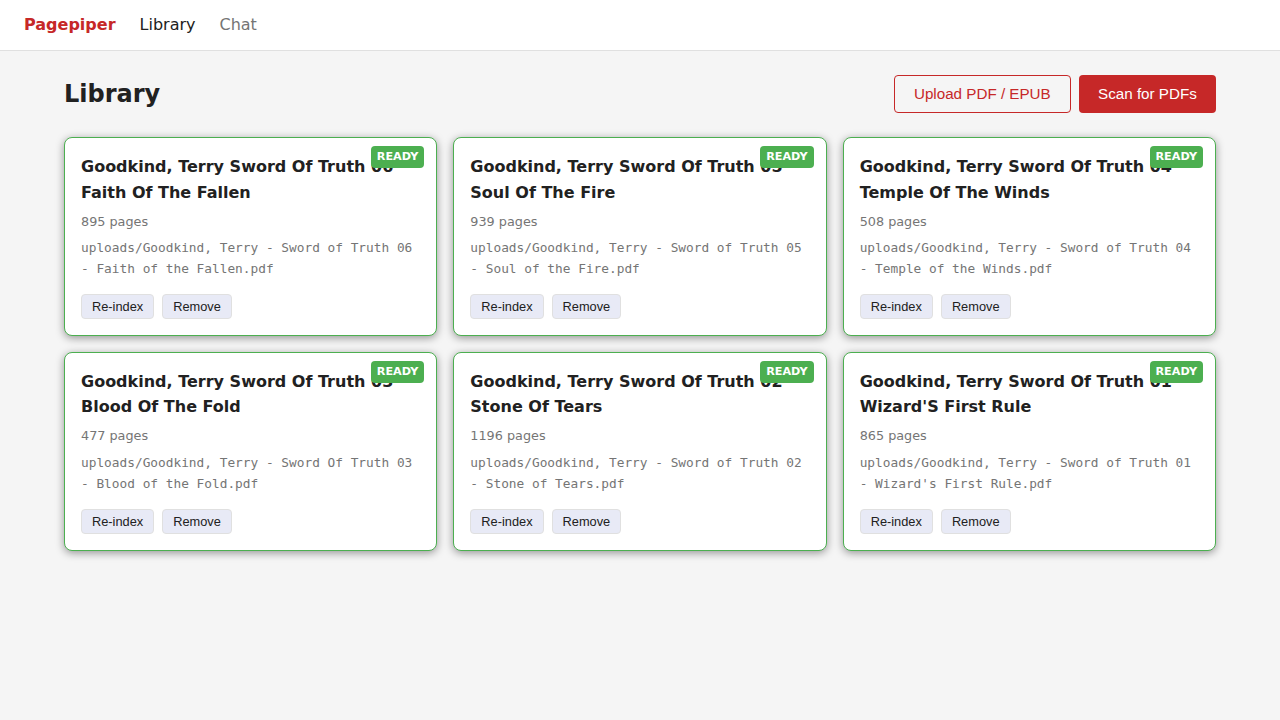
Scan your PDF directory to index documents, or upload individual PDFs directly. Each document shows page count and shelving status.
Chat
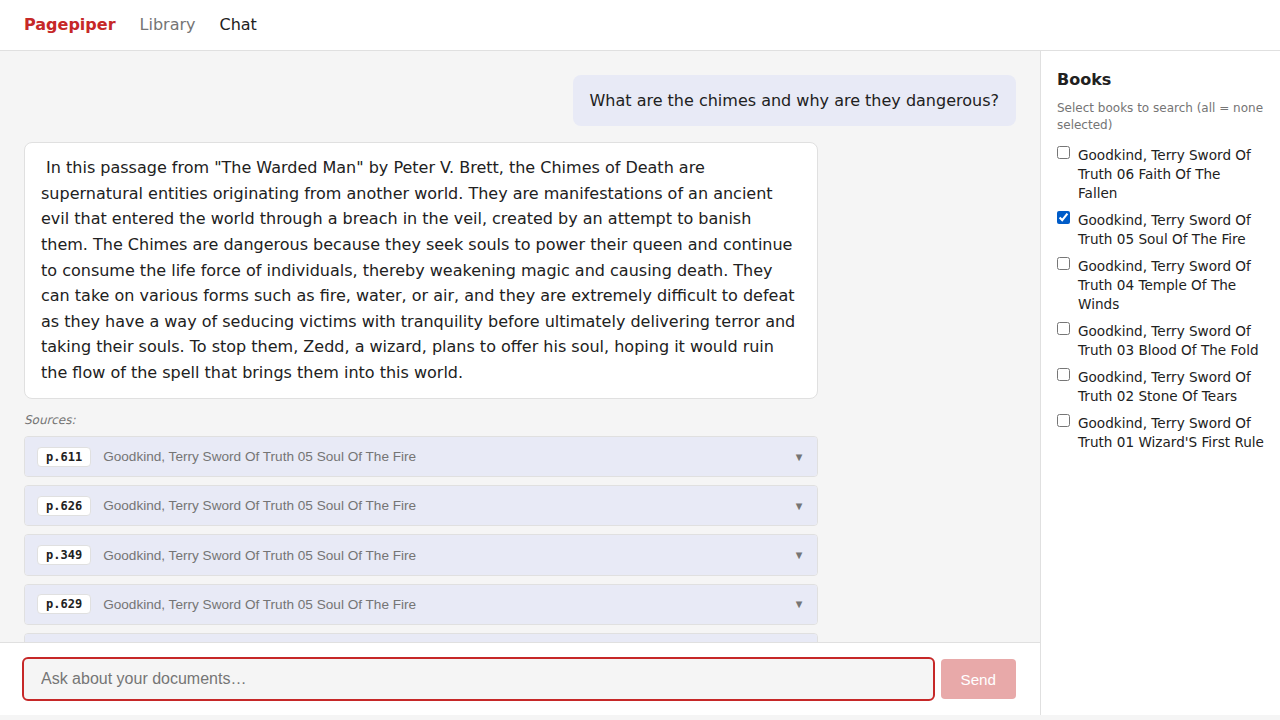
Ask questions across your indexed documents. Results cite the source document and page number.
Tiers
| Feature | Free | Paid (BYOK) |
|---|---|---|
| BM25 full-text search | Yes | Yes |
| PDF, EPUB, DOCX, ODT, and Pages upload via browser | Yes | Yes |
| Unlimited local shelving | Yes | Yes |
| Hybrid vector search | No | Yes (local Ollama) |
| LLM chat over documents | No | Yes (local Ollama) |
BYOK (Bring Your Own Key) means you supply your own Ollama instance. No cloud API keys required.
Self-Hosting Guide
Prerequisites
- Docker and Docker Compose
- PDFs you want to search
- Optional: Ollama running locally for semantic search and LLM chat
Step 1: Get the code
git clone https://git.opensourcesolarpunk.com/Circuit-Forge/pagepiper
cd pagepiper
Step 2: Configure
cp .env.example .env
Open .env and set your directories:
# Where pagepiper stores its index database
PAGEPIPER_DATA_DIR=./data

# Directory to scan for PDFs (used by the "Scan for PDFs" button)
# You can also upload individual PDFs via the web UI without setting this
PAGEPIPER_BOOKS_DIR=/path/to/your/pdfs
To unlock hybrid vector search and LLM chat, add your Ollama endpoint:
PAGEPIPER_OLLAMA_URL=http://localhost:11434
PAGEPIPER_CHAT_MODEL=mistral:7b
PAGEPIPER_EMBED_MODEL=nomic-embed-text
Step 3: Start
docker compose up -d --build
Open http://localhost:8521 in your browser.
Step 4: Add your PDFs
Two ways to add documents:
Option A — Upload via browser (easiest for small collections):
Click the Upload PDF button in the Library view and select a file. It saves to data/uploads/ and begins indexing automatically.
Option B — Mount a directory (best for large collections):
Set PAGEPIPER_BOOKS_DIR in your .env to point at a folder of PDFs, then click Scan for PDFs. Pagepiper finds all .pdf files recursively and queues them for indexing.
Step 5: Search
Switch to the Chat tab and ask questions about your documents. The Free tier uses BM25 keyword matching. With Ollama configured, you get semantic (vector) search and LLM-generated answers with page-level citations.
Ollama Setup (optional)
Install Ollama from ollama.com, then pull the models:
ollama pull mistral:7b
ollama pull nomic-embed-text
Pagepiper's Docker container reaches Ollama at host.docker.internal — no extra network config needed on Linux/Mac with Docker Desktop. On a headless Linux server, make sure Ollama binds to 0.0.0.0:
OLLAMA_HOST=0.0.0.0 ollama serve
Managing the instance
# Check status
docker compose ps

# View API logs
docker compose logs -f api

# Stop
docker compose down

# Rebuild after updates
docker compose up -d --build
Notes
- Pagepiper indexes PDFs at shelve time. Changes to the source file require a re-index (use the re-index button on the document card).
- The
data/directory contains the SQLite index database and any uploaded files. Back it up to preserve your index. - Large PDFs (hundreds of pages) can take a few minutes to index. Watch the status badge on the document card.