 pyr0ball
8e36863a49
pyr0ball
8e36863a49
Backend
- dev-api.py: Q&A suggest endpoint, Log Contact, cf-orch node detection in wizard
  hardware step, canonical search_profiles format (profiles:[...]), connections
  settings endpoints, Resume Library endpoints
- db_migrate.py: migrations 002/003/004 — ATS columns, resume review, final
  resume struct
- discover.py: _normalize_profiles() for legacy wizard YAML format compat
- resume_optimizer.py: section-by-section resume parsing + scoring
- task_runner.py: Q&A and contact-log task types
- company_research.py: accessibility brief column wiring
- generate_cover_letter.py: restore _candidate module-level binding

Frontend
- InterviewPrepView.vue: Q&A chat tab, Log Contact form, MarkdownView rendering
- InterviewCard.vue: new reusable card component for interviews kanban
- InterviewsView.vue: rejected analytics section with stage breakdown chips
- ResumeProfileView.vue: sync with new resume store shape
- SearchPrefsView.vue: cf-orch toggle, profile format migration
- SystemSettingsView.vue: connections settings wiring
- ConnectionsSettingsView.vue: new view for integration connections
- MarkdownView.vue: new component for safe markdown rendering
- ApplyWorkspace.vue: a11y — h1→h2 demotion, aria-expanded on Q&A toggle,
  confirmation dialog on Reject action (#98 #99 #100)
- peregrine.css: explicit [data-theme="dark"] token block for light-OS users (#101),
  :focus-visible outline (#97)
- wizard.css: cf-orch hardware step styles
- WizardHardwareStep.vue: cf-orch node display, profile selection with orch option
- WizardLayout.vue: hardware step wiring

Infra
- compose.yml / compose.cloud.yml: cf-orch agent sidecar, llm.cloud.yaml mount
- Dockerfile.cfcore: cf-core editable install in image build
- HANDOFF-xanderland.md: Podman/systemd setup guide for beta tester
- podman-standalone.sh: standalone Podman run script

Tests
- test_dev_api_settings.py: remove stale worktree path bootstrap (credential_store
  now in main repo); fix job_boards fixture to use non-empty list
- test_wizard_api.py: update profiles assertion to superset check (cf-orch added);
  update step6 assertion to canonical profiles[].titles format
2.5 KiB
2.5 KiB
Peregrine
AI-powered job search pipeline — by Circuit Forge LLC
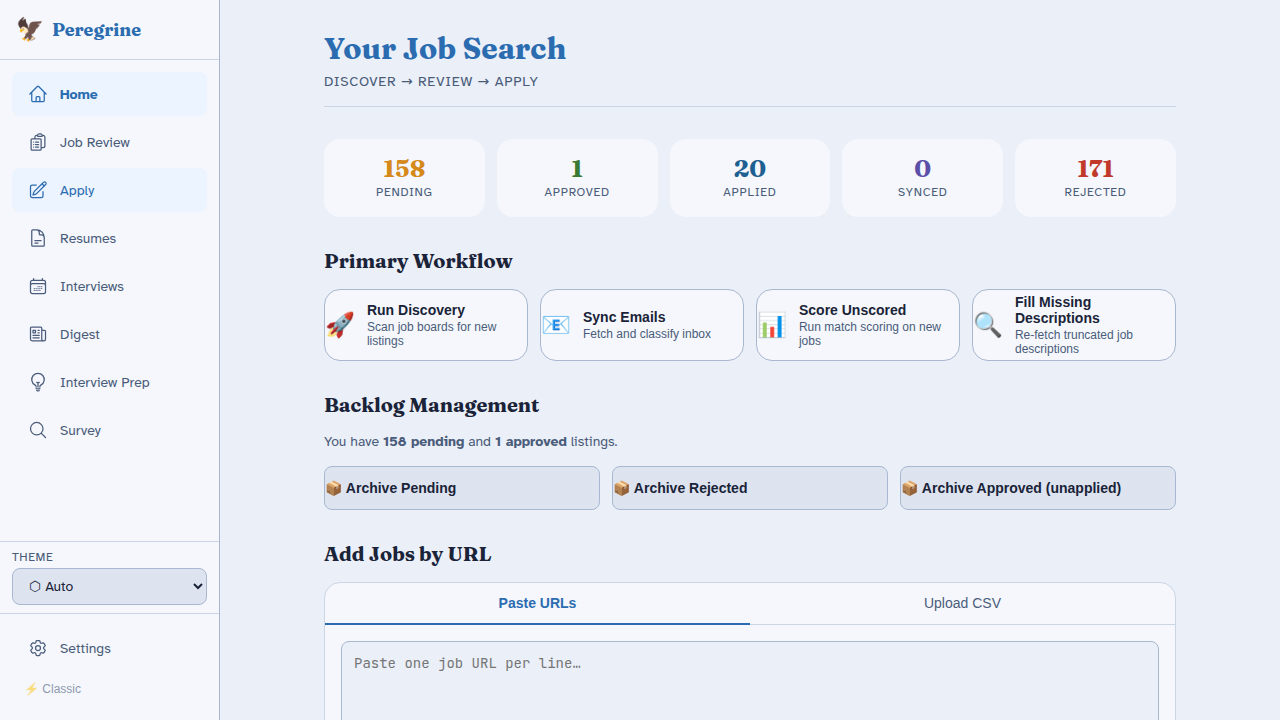
Peregrine automates the full job search lifecycle: discovery, matching, cover letter generation, application tracking, and interview preparation. It is privacy-first and local-first — your data never leaves your machine unless you configure an external integration.
Quick Start
# 1. Clone and install dependencies
git clone https://git.circuitforge.io/circuitforge/peregrine
cd peregrine
bash install.sh

# 2. Start Peregrine
make start                        # no GPU, API-only
make start PROFILE=single-gpu     # one NVIDIA GPU
make start PROFILE=dual-gpu       # dual GPU (Ollama + vLLM)

# 3. Open the UI
# http://localhost:8501
The first-run wizard guides you through hardware detection, tier selection, identity, resume, LLM configuration, search profiles, and integrations. See Installation for the full walkthrough.
Feature Overview
| Feature | Free | Paid | Premium |
|---|---|---|---|
| Job discovery (JobSpy + custom boards) | Yes | Yes | Yes |
| Resume keyword matching | Yes | Yes | Yes |
| Cover letter generation | - | Yes | Yes |
| Company research briefs | - | Yes | Yes |
| Interview prep & practice Q&A | - | Yes | Yes |
| Email sync & auto-classification | - | Yes | Yes |
| Survey assistant (culture-fit Q&A) | - | Yes | Yes |
| Integration connectors (Notion, Airtable, etc.) | Partial | Yes | Yes |
| Calendar sync (Google, Apple) | - | Yes | Yes |
| Cover letter model fine-tuning | - | - | Yes |
| Multi-user support | - | - | Yes |
See Tier System for the full feature gate table.
Documentation Sections
- Getting Started — Install, configure, and launch Peregrine
- User Guide — How to use every feature in the UI
- Developer Guide — Add scrapers, integrations, and contribute code
- Reference — Tier system, LLM router, and config file schemas
License
Core discovery pipeline: MIT
AI features (cover letter generation, company research, interview prep, UI): BSL 1.1
© 2026 Circuit Forge LLC